

When a disaster strikes, your network is the central nervous system of your business. A disaster recovery plan for networks isn't just about having backups; it’s a detailed, documented playbook that guides your team through the chaos of restoring routers, switches, firewalls, and critical connections. Think of it as your organization's lifeline when the unexpected happens.
Why a Network Disaster Recovery Plan Is Non-Negotiable

Let's be clear: network downtime is far more than a simple inconvenience. It's a direct threat to your revenue, reputation, and day-to-day operations. Believing a basic data backup will save you is a common, and frankly, dangerous assumption. Real resilience is built on a proactive plan that considers your entire network ecosystem.
Imagine a construction crew accidentally severs a fiber optic cable down the street. Suddenly, your cloud access, VoIP phones, and customer-facing apps are all dead in the water. Or consider a core switch failing without warning, bringing all internal communication and data access to a screeching halt. Without a plan, your team is left scrambling under immense pressure, trying to solve complex problems on the fly.
The True Cost of Unpreparedness
The financial stakes of network failure are staggering. With today's escalating cyber threats and complex hybrid cloud environments, the old ways of thinking about disaster recovery just don't cut it anymore. For mid-sized enterprises, the average cost of IT downtime has climbed to over $300,000 per hour. For some Fortune 500 companies, that number can soar to an eye-watering $11 million per hour.
A disaster recovery plan for networks moves your organization from a reactive state of panic to a proactive position of control. It transforms a potential catastrophe into a managed incident.
Before we dive into the "how," let's quickly review the core components that make up a solid plan. Each of these pillars is essential for building a truly resilient network.
Core Components of a Network Disaster Recovery Plan
| Component | Objective | Key Action |
|---|---|---|
| Risk Assessment | Identify potential threats to network operations. | Analyze vulnerabilities and their potential business impact. |
| Business Impact Analysis | Determine which network services are most critical. | Define Recovery Time Objectives (RTO) and Recovery Point Objectives (RPO). |
| Recovery Strategy | Design the technical architecture and procedures for restoration. | Select failover sites, backup solutions, and hardware replacements. |
| Documentation & Procedures | Create a clear, actionable playbook for the recovery team. | Document step-by-step instructions, contact lists, and roles. |
| Testing & Maintenance | Validate the plan's effectiveness and keep it current. | Conduct regular drills, simulations, and update the plan. |
These components form the foundation of our guide, ensuring every critical aspect of network resilience is covered.
From Inconvenience to Operational Paralysis
A well-crafted plan does more than just get you back online; it provides a clear roadmap for your entire business. When you think about everything a network outage affects, its value becomes crystal clear.
- Customer Transactions: Your e-commerce site goes dark, and point-of-sale systems can't process payments.
- Internal Productivity: Employees are cut off from shared drives, internal software, and communication tools. Work stops.
- Supply Chain Operations: Logistics and inventory systems fail, halting shipments and bringing your supply chain to a standstill.
- Brand Reputation: Every hour of downtime erodes customer trust, potentially causing permanent damage to your brand.
This is about safeguarding every function your business depends on. Proactive planning is crucial, which is why so many businesses find that understanding the role of managed IT and cybersecurity services is essential for building a resilient infrastructure. At the end of the day, a documented disaster recovery plan for networks is the single most important asset you have for organizational resilience.
How to Conduct a Realistic Network Risk Assessment

You can't build a solid disaster recovery plan for networks on a foundation of guesswork. Before you start thinking about recovery objectives or backup tech, you first have to get real about what you're protecting and what threats are lurking around the corner. This all starts with a practical risk assessment and a business impact analysis (BIA).
Forget the generic checklists you find online. A truly effective assessment gets into the weeds of your specific operations. It's about identifying the tangible threats your network faces every day and then mapping out the real-world consequences if something goes offline. This step is what makes the difference between a plan that sits on a shelf and one that actually saves your business when things go sideways.
Know Your Network: Identifying Critical Assets
First things first, you need a detailed inventory of your entire network infrastructure. And I don't just mean a spreadsheet with a list of devices. You need to create a dependency map. The goal here is to pinpoint the exact components that would cause the biggest headache for your business if they suddenly failed.
Ask yourself: which pieces of this puzzle are absolutely essential for making money or keeping our core services running? For an e-commerce site, that might be the firewall and load balancer protecting your web servers. If you're running a manufacturing plant, it’s probably the switches connecting the factory floor to your central systems.
Your inventory needs to be thorough:
- Core Hardware: Every router, switch, firewall, and wireless controller.
- Key Servers: Your domain controllers, DNS/DHCP servers, and critical application servers.
- Connectivity: Document your primary and secondary internet providers, VPNs, and any direct connections to cloud services.
- Dependencies: This is key. Map out how everything connects. For example, your VoIP phones rely on specific switches, which need the core router, which needs a live internet connection to work.
Pinpoint Real-World Threats and Vulnerabilities
Once you have a clear picture of your assets, it's time to figure out what could go wrong. Threats aren't just abstract concepts; they are specific events that have a real probability of happening. You need to look beyond the obvious and consider risks unique to your location and industry.
A business in a flood plain has very different environmental risks than one sitting on a fault line. A company located next to a major construction project has a much higher chance of someone accidentally cutting a fiber line. You have to tailor this analysis to your reality.
Think about threats in a few different categories:
- Environmental: Fires, floods, power grid failures, and severe weather.
- Technical: Good old-fashioned hardware failure, software bugs, and human error in configuration.
- Human-Caused: This includes everything from an accidental misconfiguration by a junior admin to malicious insider threats and physical damage to your server room.
- Cybersecurity: Ransomware, DDoS attacks, and phishing campaigns designed to steal network credentials.
A classic mistake is getting so focused on complex cyberattacks that you forget the simple stuff. I've seen more total network outages caused by a backhoe severing a fiber optic cable than by a sophisticated state-sponsored hacker. You have to plan for both.
This is especially true for small and mid-sized businesses (SMBs). The numbers are sobering: 43% of all data breaches target small businesses, yet an alarming 57% of these companies don't believe they are a target. With 60% of SMBs going out of business within six months of a major cyber incident, you can't afford to be complacent. You can find more of these eye-opening disaster recovery statistics from PhoenixNap.
Put a Price on Downtime: The Business Impact Analysis
The final piece of this puzzle is the Business Impact Analysis (BIA). This is where you connect a network failure to a real dollar amount. The BIA helps you prioritize what to save first by answering one simple but powerful question: "How much money do we lose for every hour this system is down?"
To get the answer, you have to talk to department heads. The impact of the sales team losing access to their CRM is very different from the marketing team losing access to social media. Once you quantify this, you can easily justify the cost of things like redundant hardware or faster recovery solutions.
For example, if your primary sales application being down costs the company $20,000 an hour in lost revenue, spending a fraction of that on a high-availability solution is a no-brainer. To dig deeper into this, you can explore our guide on the importance of cybersecurity for growing businesses, which shows how this kind of proactive thinking directly supports business continuity.
Setting Your Recovery Time and Point Objectives
Once you've mapped out the risks and put a real dollar figure on what an outage would cost, it's time to get specific about what "recovery" actually means. A vague goal like "get back online fast" is useless when the pressure is on. Your disaster recovery plan for networks needs hard, measurable targets.
This is where two of the most important metrics in the entire field of business continuity come into play: Recovery Time Objective (RTO) and Recovery Point Objective (RPO). They might sound academic, but I promise you, they are the bedrock of a practical, real-world plan. Getting them right is the difference between a plan that works and one that's just a document gathering dust.
Understanding Your Recovery Time Objective (RTO)
The Recovery Time Objective, or RTO, boils down to one simple, critical question: How long can we afford to be down? It's the maximum acceptable time between the moment disaster strikes and the moment your essential network services are back up and running.
Think of RTO as your business's pain threshold for downtime.
For a busy e-commerce site, every minute the network is down is a minute they're bleeding cash and losing customer trust. Their RTO for customer-facing systems might be an incredibly aggressive 15 minutes.
But what about an internal development server? If it goes offline, the engineers might have to take a long coffee break, but the business itself isn't grinding to a halt. For that system, an RTO of eight hours might be perfectly fine.
RTO is all about the speed of recovery. This single metric will dictate the technology, staffing, and budget you need. A tiny RTO often requires expensive, automated failover systems, while a longer RTO gives you the breathing room for more manual—and more affordable—recovery processes.
Defining Your Recovery Point Objective (RPO)
While RTO is about the clock, the Recovery Point Objective, or RPO, is all about your data. It answers a different but equally crucial question: How much data can we stand to lose? RPO defines the maximum acceptable age of the files or data you recover from backup after an incident.
In other words, your RPO dictates how often you need to be backing things up.
Let's go back to that e-commerce site. If they set an RPO of one minute, they're saying they cannot lose more than sixty seconds of orders and customer data. That demands a sophisticated solution that's replicating data almost constantly.
On the flip side, a file server holding marketing brochures and old presentations might have an RPO of 24 hours. If something goes wrong, restoring from last night's backup is good enough. Nobody is going to panic if the latest draft of a datasheet needs to be recreated.
Bringing RTO and RPO Together
These two metrics are a team. You don't just set one for the whole company; you need to define them for every critical service you identified during your risk assessment. This is how you prioritize what to fix first when everything is broken.
Here’s how this looks in the real world for different systems within the same company:
Customer Relationship Management (CRM) System
- RTO: 1 Hour. The sales team is dead in the water without it.
- RPO: 15 Minutes. Losing more than a few minutes of customer notes and interactions is a major problem.
VoIP Phone System
- RTO: 30 Minutes. Communication is king. The phones have to work.
- RPO: Not Applicable. Here, the goal is just to restore the service. We aren't worried about recovering specific call data.
Internal HR Portal
- RTO: 4 Hours. It’s important, but payroll isn't due for another week. It can wait a bit.
- RPO: 12 Hours. A restore from last night’s backup is perfectly acceptable.
By defining these objectives with your business stakeholders, you give your IT team clear, unambiguous goals. It eliminates the guesswork and finger-pointing during a crisis, ensuring your technical response is perfectly aligned with what the business actually needs to survive.
Designing a Resilient Network Architecture
Once you’ve locked down your recovery objectives, it’s time to move from the drawing board to the real world. A solid disaster recovery plan for networks isn't just a binder on a shelf; it's woven directly into the fabric of your IT infrastructure. Designing for resilience means building a network that can take a punch, adapt on the fly, and keep the lights on, often without anyone needing to lift a finger.
This is about more than just having backups. It's about engineering a system with built-in intelligence and redundancy. The whole point is to make sure no single point of failure—a fried switch, a severed fiber line—can bring your entire company to a screeching halt. It's a proactive investment that proves its worth the very first time disaster strikes.
Building Redundancy into Your Core
Real network resilience starts by cutting out dependencies on any one piece of gear or service provider. If your whole business hangs on a single internet connection or one firewall, you're not really planning for a disaster—you're just waiting for one to happen.
Getting practical about resilience involves a few key moves:
- Redundant Internet Circuits: Never, ever depend on just one Internet Service Provider (ISP). Sign contracts with at least two different carriers, and make sure they use different physical routes to get to your office. Think one fiber line and one high-speed 5G or coaxial connection. This way, when a backhoe inevitably digs in the wrong spot, you're not knocked offline.
- High-Availability (HA) Pairs: For your most critical hardware, like firewalls and core switches, don't just buy one—buy two and run them as a high-availability pair. One device actively handles all the traffic while its partner is on standby, ready to take over in milliseconds if the primary fails. The switch is automatic and completely invisible to your team.
- Diverse Network Paths: Look at your internal network map. Are there multiple ways for data to get from your servers to your users? If not, a single bad cable or a failed switch in a closet could isolate an entire floor or server rack. Designing diverse internal pathways is crucial.
These architectural decisions are your first and best line of defense. For a deeper dive into securing your infrastructure from the ground up, check out these excellent strategies for Protecting Your Network.
Modernizing Your Backup Strategy
Everyone backs up their servers. That's old news. But what about the devices that connect everything together? The configurations for your routers, switches, and firewalls are just as vital as your data. Losing those settings can turn what should be a simple hardware swap into a multi-day network reconstruction nightmare.
A modern backup strategy for your network gear is all about automation and easy access:
- Automated Configuration Backups: Set up a system that automatically grabs a copy of the configuration from every network device, either daily or weekly. No more manual "copy run start" commands.
- Cloud-Based Storage: Don't just save these backups on a local server. Store them in a secure, off-site cloud repository. This ensures you can get to them even if your main office is a crater.
- Version Control: Your backup tool needs to keep multiple versions of each configuration file. This is an absolute lifesaver when a recent change breaks something and you need to quickly roll back to a last-known-good state.
It's a huge mistake to think of network downtime as a rare fluke. A global survey of 1,000 senior tech executives found that 100% of their organizations lost money from IT outages in the past year. On average, companies deal with 86 network or IT outages annually, with a shocking 55% experiencing them every single week.
Choosing the Right Recovery Site
When a major event forces you out of your primary location, you need a place to get back to work. This is your recovery site. There are three main flavors, and the right one for you comes down to balancing how fast you need to be back online (your RTO) against what you can afford.
Before we get into the options, it's helpful to see them side-by-side.
Comparing Disaster Recovery Site Options
Here’s a quick breakdown of the three primary types of recovery sites. Understanding these will help you align your business needs with a realistic budget and recovery timeline.
| Site Type | Recovery Time (RTO) | Cost | Best For |
|---|---|---|---|
| Hot Site | Minutes to Hours | High | Businesses with near-zero tolerance for downtime, like financial services or major e-commerce platforms. |
| Warm Site | Hours to Days | Moderate | Organizations that can tolerate a few hours of downtime but need to recover core operations within a business day. |
| Cold Site | Days to Weeks | Low | Companies with non-critical systems and a very long RTO, where cost-saving is the primary driver. |
As you can see, the faster you need to recover, the more it’s going to cost.
For many small and mid-sized businesses, the idea of building and maintaining even a cold site is just too expensive. This is where getting some outside help can be a game-changer. Exploring professional IT services opens the door to scalable solutions like Disaster Recovery as a Service (DRaaS).
With DRaaS, a provider replicates your network environment in their cloud. This gives you all the rapid-recovery benefits of an enterprise-grade hot site but at a fraction of the cost of building your own. It's what makes true network resilience an achievable goal for any business, not just the Fortune 500.
Documenting Your Step-by-Step Recovery Playbook
A brilliant network architecture and perfectly defined objectives don’t mean a thing if the recovery plan is locked away in the minds of a few key engineers. When a real crisis hits, stress is high and clear thinking becomes a luxury. That’s why a meticulously documented, step-by-step playbook is the single most critical part of your disaster recovery plan for networks.
An untested plan sitting on a server somewhere is worse than no plan at all. The real goal here is to create a guide so clear and actionable that your team can execute it flawlessly under extreme pressure. Think simple, direct, and free of the dense technical jargon that just slows people down when every second counts.
Building Your Crisis Communication Tree
Before anyone types a single command, everyone needs to know who to call and what to say. Chaos loves a communication vacuum. A crisis communication tree is a straightforward, visual hierarchy that maps out the exact order of contact during an emergency.
Start with your core IT response team. From there, branch out to department heads, executive leadership, and critical vendors. This isn't just a contact list; it's a protocol.
Make sure it includes:
- Primary and secondary contact numbers (office, mobile, even home numbers if appropriate).
- Clear escalation paths so no time is wasted if a key person is unreachable.
- Pre-approved communication templates to keep stakeholders informed and prevent panicked, inaccurate messages from flying around.
This document is more than just an IT tool—it's essential for business survival. When the network is down, this tree ensures the right people are looped in quickly, which is fundamental for managing both customer expectations and internal morale.
Your recovery playbook should be written so your most junior technician can understand and execute it. If it takes a seasoned expert to decipher, it will fail under the pressure of a real-world disaster. Simplicity is the ultimate sign of a robust plan.
As you build out these steps, don't forget about the aftermath. Your playbook must include processes for handling damaged or obsolete network hardware by understanding IT Asset Disposition (ITAD). This ensures that compromised equipment is managed securely and responsibly once the dust settles.
Documenting Technical Recovery Procedures
Now we get to the heart of the playbook: the precise instructions for bringing your network back from the brink. Forget long, narrative paragraphs. Break everything down into checklists and diagrams that can be referenced in seconds. Your team needs to act, not read a novel.
For every critical system, you need to document:
- Failover Procedures: A simple checklist for switching to your backup internet connection or failing over to a secondary firewall.
- Configuration Restoration: Clear steps on how to grab cloud-stored configurations and apply them to replacement hardware.
- Vendor Support Contacts: Direct tech support numbers and account details for your ISP, hardware manufacturers, and software providers. No one should be scrambling for a support contract number.
- Network Diagrams: Keep visual maps of your network topology updated, clearly labeling critical devices and data paths.
Picture this: a core switch dies at 2 AM. Your on-call engineer should be able to grab the playbook and instantly know the model of the replacement switch, where to find its last known good configuration, and exactly which ports to connect to get things running again.
This infographic helps visualize a key decision point in your planning: choosing the right kind of recovery site.
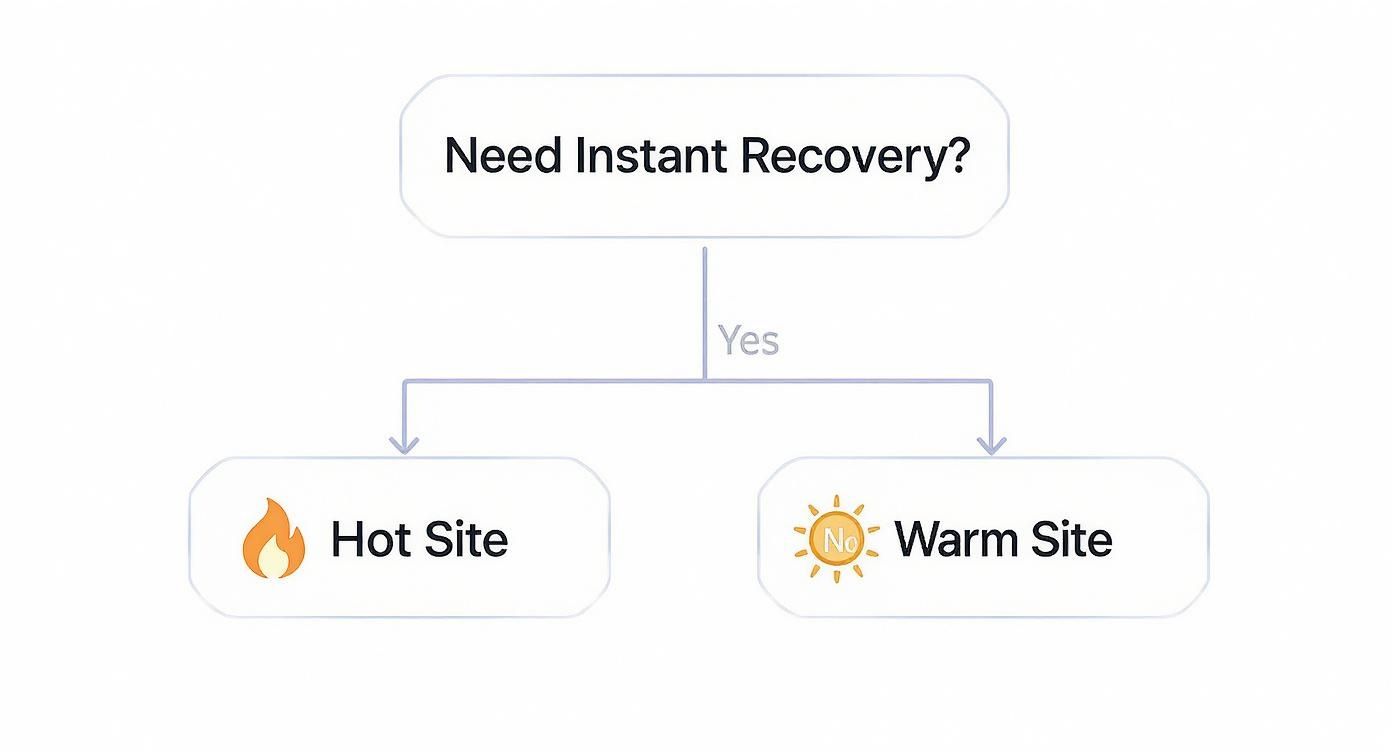
As the visual shows, the need for immediate recovery (a low RTO) forces you toward more expensive but instantly available hot sites. This decision dramatically impacts your budget and your documentation, making it absolutely critical to get the procedures for either scenario right.
Treat Your DR Plan Like a Living Thing: Test and Maintain It
Your network disaster recovery plan isn't a "set it and forget it" document. Think of it less like a finished project and more like a living program that needs regular attention to stay healthy. A brilliant plan on paper is great, but if it's never been tested, it's just a stack of well-intentioned assumptions. The real work is embedding testing and maintenance so deeply into your operations that your plan is always ready to go.
The point of testing isn't to get a perfect score. It's to find the cracks in your armor before a real disaster does. And here's the good news: these tests don't have to grind your business to a halt. Some of the most valuable methods are designed to be completely non-disruptive, letting you check your work without affecting your users.
Finding the Flaws Without Causing Chaos
You've got a few different ways to kick the tires on your DR plan, and they range from simple conversations to full-blown simulations. The trick is to pick the right kind of test for what you're trying to accomplish.
Tabletop Exercises: This is your starting line. Get the recovery team in a room, throw a realistic scenario at them—like, "Our main fiber line just got cut by a backhoe, and the provider says it'll be 8 hours before it's fixed"—and have them talk through the plan. You’ll be amazed at how quickly this reveals communication gaps, outdated phone numbers, or confusion about who does what.
Walkthrough Tests: This is a step up. Here, your team members actually go through the motions of their assigned tasks. For example, a network admin might log into the management console of the backup firewall just to prove they have access. At the same time, another person could verify they can pull the latest configuration files from your cloud storage. No actual failover happens, but you're confirming the individual steps are doable.
Full-Scale Simulations: This is the ultimate gut check. You actually fail over a non-critical system to your secondary site or switch traffic to your backup internet circuit. You'll absolutely want to schedule this during a planned maintenance window to avoid any real-world impact, but it's the only way to be 100% sure all the technical pieces will work together when you need them most.
I've seen teams treat a failed test like a personal failure. That's the wrong way to look at it. A test that uncovers a hidden problem is a huge win. It just saved you from discovering that same flaw in the middle of a real crisis, when the clock is ticking and the pressure is on.
A Simple Rhythm for Testing and Upkeep
If you don't schedule it, it won't happen. Consistency is the name of the game here. A plan that was perfect last year can easily become obsolete because of staff turnover, new equipment, or a simple software update. A recurring schedule is what keeps your plan sharp.
Here’s a practical schedule you can adapt for your own team:
| Frequency | Task | Goal |
|---|---|---|
| Quarterly | Tabletop Exercise & Contact List Review | Keep communication paths clear and spot process gaps early. |
| Bi-Annually | Walkthrough Test & Configuration Backup Verification | Confirm people have the right access and that backups are good. |
| Annually | Full-Scale Simulation (for at least one critical system) | Prove the end-to-end recovery process and tech actually work. |
Scheduled tests are just one piece of the puzzle. Your plan also needs constant, low-level maintenance. This means updating the documentation every time you deploy a new switch or firewall. It means training new hires on their DR responsibilities. And it means regularly checking in with business leaders to make sure your RTO and RPO targets still match what they actually need. This constant cycle of testing, refining, and maintaining is what turns a static document into a truly resilient network.
Common Questions About Network Disaster Recovery
How Often Should We Test Our Network Disaster Recovery Plan?
Honestly, you should be testing this more often than you think. Aim for at least one full, hands-on test annually. But don't stop there. We recommend running smaller, more focused "tabletop" exercises quarterly to walk through specific scenarios.
If your network undergoes any significant changes—like a big hardware refresh, a new cloud deployment, or a major software update—you need to test it again. An out-of-date plan is almost as bad as having no plan at all.
What Is the Biggest Mistake Companies Make with Their DRP?
By far, the most common pitfall is the "set it and forget it" mentality. Too many businesses pour resources into creating a detailed disaster recovery plan for networks, only to let it gather dust on a shelf.
A plan that isn't regularly tested, updated, and woven into your team's training isn't just outdated; it's a liability. When a real crisis hits, it will almost certainly fail.
The single biggest point of failure for any DRP is a lack of consistent, realistic testing. An untested plan is just a theory.
Can Cloud Services Replace a Traditional Network DRP?
Not completely, no. While cloud services and Disaster Recovery as a Service (DRaaS) are incredible assets in a modern strategy, they aren't a silver bullet. The cloud is a powerful tool, but it's not the entire toolbox.
You still have to do the foundational work:
- Define your specific Recovery Time Objectives (RTO) and Recovery Point Objectives (RPO).
- Establish clear communication protocols for your team.
- Document the step-by-step recovery procedures for your unique cloud setup.
Think of the cloud as a location and a set of resources, not a replacement for a well-thought-out plan.
A robust, tested disaster recovery plan is your best defense against the unexpected. At Defend IT Services, we build resilient IT and cybersecurity strategies that protect your business operations. Discover how our managed services can safeguard your network by visiting us at https://kidgears.com.