
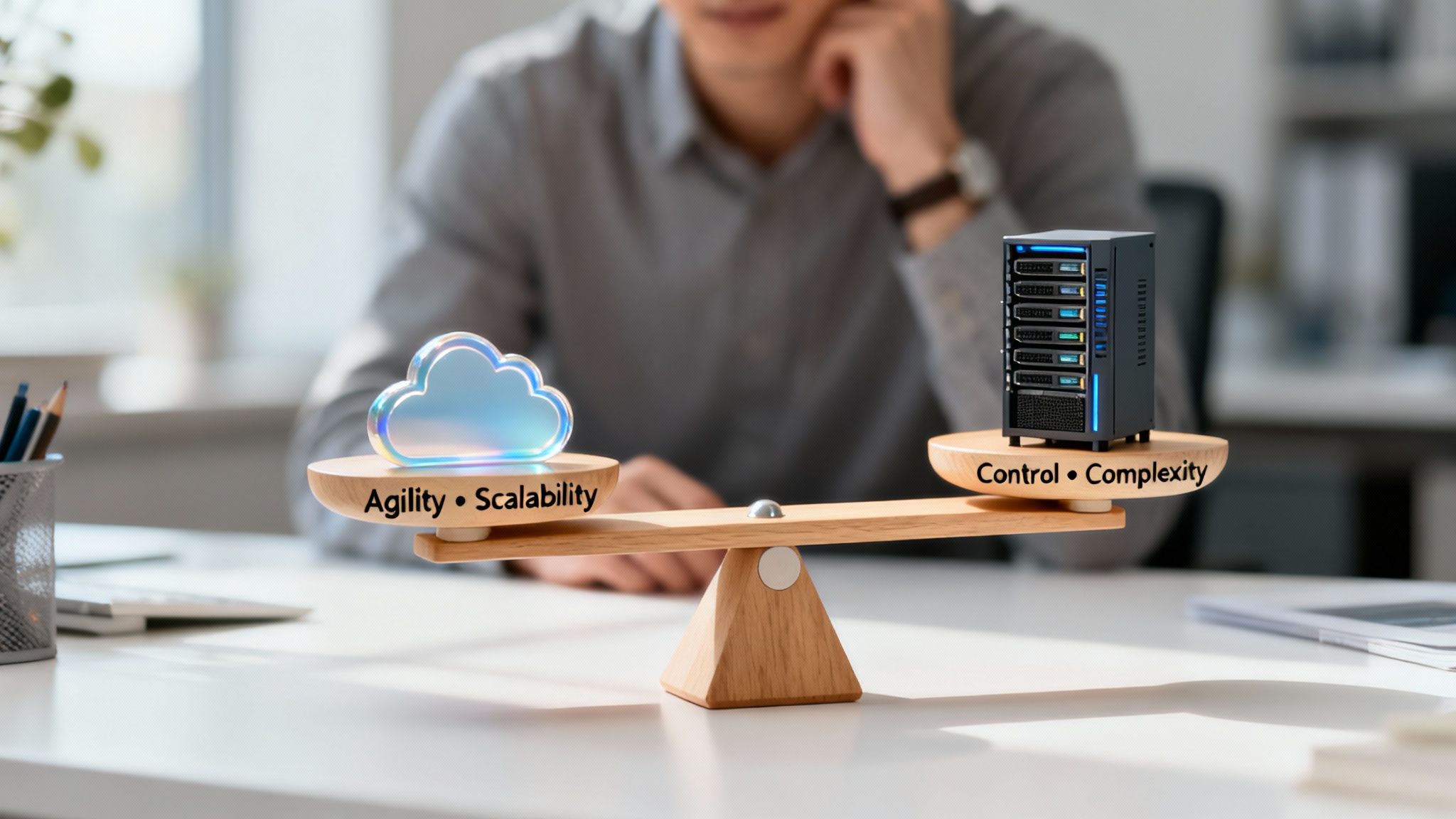
At its core, the choice between cloud services and traditional on-premise infrastructure is about what you value more: agility or direct control. Moving to the cloud gives you incredible flexibility and scalability, but that comes at the cost of the hands-on control and predictable spending you get with your own servers. Evaluating the pros and cons of cloud services is really about balancing those two realities.
Understanding the Cloud Services Trade-Offs
Moving your operations to the cloud is a huge strategic decision, not just a simple tech upgrade. The numbers show just how popular it's become—the global cloud market is expected to hit around $855.7 billion by 2025, and today, 98% of companies use the cloud in some capacity. That kind of growth doesn't happen by accident; it's driven by real-world gains in efficiency and accessibility.
But it’s not all straightforward. For small and midsize businesses, especially those in tightly regulated fields like healthcare or finance, this shift adds new layers of complexity to security and compliance. The benefits are massive, but the risks are just as real and demand careful, active management.
At a Glance Comparing Cloud Service Pros and Cons
To get a clearer picture, it helps to break down the key trade-offs. This table provides a high-level look at the main advantages and disadvantages you'll encounter when you move your business functions to the cloud.
| Aspect | Key Pro (Advantage) | Key Con (Disadvantage) |
|---|---|---|
| Cost Structure | Avoids massive upfront capital expenses (CapEx) for hardware, moving costs to a more predictable operational expense (OpEx) model. | The pay-as-you-go model can easily lead to surprise bills and budget overruns if you're not actively managing it. |
| Scalability | Resources can be ramped up or down in minutes to meet fluctuating business needs, keeping performance right where you need it. | It's easy to over-provision resources, which means you end up paying for capacity you aren't actually using. |
| Security | You gain access to enterprise-grade security tools and infrastructure that would be prohibitively expensive to build yourself. | The Shared Responsibility Model means you are still on the hook for securing your own data, which can create dangerous gaps. |
| Maintenance | The provider takes care of all hardware maintenance, security patching, and infrastructure updates, freeing up your internal team. | You become completely dependent on your provider for uptime; if they have an outage, so do you. |
The core trade-off isn't just about technology—it's about control. With the cloud, you exchange direct control over hardware for operational speed and reduced maintenance burdens.
Getting a handle on these foundational pros and cons is the first step. The real work begins when you start figuring out how to manage the downsides. For many SMBs, that means knowing the limits of their in-house expertise and deciding when to bring in a dedicated partner. To see how this works in practice, check out our guide on why every San Antonio business needs managed IT and cybersecurity services. Partnering with an expert lets you reap the rewards of the cloud while a professional team handles the risks.
The Real Cost of Cloud Services

One of the biggest draws of the cloud is shifting from massive upfront capital expenses (CapEx) to a more manageable operational expense (OpEx) model. But the financial reality is rarely that simple. The "pay-as-you-go" promise can easily hide a tangled web of costs that spiral out of control if you're not paying close attention. To avoid your cloud budget becoming a guessing game, you have to get a firm grip on the Total Cost of Ownership (TCO).
This isn't a small problem. In fact, research shows that a staggering 70% of companies can't accurately track their cloud spending. Only 30% feel they truly understand where their money is going. And when you consider that 33% of organizations are spending over $12 million a year on public cloud, that lack of clarity leads to massive budget waste.
Uncovering Hidden Cloud Expenses
The price you see for a virtual server or a storage plan is just the tip of the iceberg. The real cost of cloud is often buried in a long list of extra fees that are easy to miss when you're just getting started. For businesses that aren't prepared, these hidden expenses are a serious downside.
Here are a few of the usual suspects:
- Data Egress Fees: Providers often charge you to move data out of their network. If your teams are frequently pulling data down to on-premise systems or transferring it to other clouds, this can become a huge, unexpected expense.
- Third-Party Management Tools: The tools your cloud provider gives you for free might not be enough. Many businesses end up paying for separate software just to get decent cost management, security monitoring, or performance insights.
- Specialized Talent: You can't just hand the keys to the cloud over to anyone. Managing a cloud environment properly requires specialized skills in architecture, security, and FinOps. The cost of hiring or training people for these roles adds a lot to your TCO.
- API Call Charges: These fees seem tiny on their own, but they can add up fast. Applications that are constantly "talking" to cloud services can rack up thousands of API requests, leading to a surprisingly large bill.
The greatest financial risk in the cloud isn't the advertised price of services, but the unmonitored accumulation of small, variable costs. Without diligent governance, the flexibility of the cloud becomes a direct path to budget overruns.
To get ahead of these variables, it’s vital to get the basics of cloud financial management down. A great place to start is understanding cloud cost optimization and the strategies it involves.
Forecasting a Realistic Cloud Budget
Budgeting for the cloud is completely different from buying on-premise hardware. It's not a one-time purchase; it's an ongoing process of forecasting and adjusting. A good budget goes beyond just converting your old hardware costs and actually accounts for how your usage will change over time.
To build an accurate financial plan, you have to know your workload patterns. A retail company, for example, needs to budget for a massive resource spike during the holidays. A financial firm will see predictable peaks at the end of every quarter. If you don't plan for this elasticity, you're setting yourself up for a billing surprise.
A solid budget also needs to include the costs of running things properly. That means investing in:
- Cost Monitoring and Alerting: You need automated alerts that tell you when spending is about to cross a line you’ve set.
- Resource Tagging Policies: A strict tagging strategy is non-negotiable. You have to be able to tie every single cloud cost back to a specific department, project, or client.
- Reserved Instances and Savings Plans: If you have predictable workloads, you can commit to a one- or three-year term and cut your compute costs by up to 72%. But this requires careful analysis upfront, or you'll end up paying for resources you don't even use.
Ultimately, whether the cloud saves you money comes down to discipline. It can be incredibly cost-effective, but only if you pair it with serious financial governance and a proactive approach to cost management. Without that, any initial savings will quickly get eaten up by uncontrolled operational spending.
Navigating Cloud Security and Compliance

Let's be honest: security is often the biggest point of friction when talking about the cloud. If you're in a regulated industry like healthcare or finance, the stakes are sky-high, and a deep dive into security isn't just recommended—it's non-negotiable.
Moving to the cloud presents a strange paradox. You instantly get access to enterprise-grade security tools that would be impossible for most small businesses to afford on their own. But at the same time, you're giving up direct, physical control over the servers running your business. This trade-off requires a major shift in how you think about security, moving from a "fortress" mentality to one of shared, constant vigilance.
Demystifying the Shared Responsibility Model
At the heart of cloud security lies the Shared Responsibility Model. This is the framework that draws a clear line in the sand: here’s what the cloud provider secures, and here’s what you secure. Misunderstanding this division is probably the single most dangerous mistake a business can make when moving to the cloud.
Put simply, the provider is responsible for the security of the cloud, and you are responsible for your security in the cloud.
What the Provider Secures (Security of the Cloud):
- Physical Infrastructure: They handle the physical data centers—think biometric scanners, 24/7 surveillance, and redundant power systems.
- Hardware and Networking: They own, manage, and protect the actual servers, storage arrays, and the massive network connecting everything.
- Virtualization Layer: The provider secures the hypervisor software that makes the entire cloud environment possible.
What You Secure (Security in the Cloud):
- Your Data: You are always responsible for protecting your own data. This means classifying it correctly and using tools like encryption, both when it's stored (at rest) and when it's moving (in transit).
- Applications: The security of any software you install or build in the cloud is on you.
- Identity and Access Management (IAM): It's your job to set up user accounts, define permissions, and ensure no one has more access than they absolutely need.
- Operating System and Network Configuration: You're in charge of patching operating systems, setting up firewalls, and managing traffic rules for your virtual network.
The Shared Responsibility Model is not a one-and-done agreement. It's an active partnership. Your security is only as strong as your commitment to managing your side of the deal, and a single mistake on your end can undo all the sophisticated protections the provider has in place.
Comparing Cloud Pros and Cons for Security
The old debate between cloud and on-premises security really comes down to a choice between world-class resources and direct control. Major cloud providers invest billions in security and employ global threat intelligence teams that no small business could ever dream of matching. They give you powerful tools for threat detection, automated compliance reporting, and rock-solid data encryption.
On the flip side, this centralization creates new risks. A single misconfigured access policy or an accidentally exposed storage bucket can lead to a massive data breach. With an on-premises setup, you have complete control. You can tweak every firewall rule, physically touch the hardware, and even unplug a sensitive system from the network if you need to.
The catch, of course, is that with total control comes total responsibility for everything, from locking the server room door to patching every last piece of software. For a closer look at specific cloud security considerations and how different platforms tackle them, it’s worth checking out what the providers say themselves.
Compliance in the Cloud: A Double-Edged Sword
For businesses navigating regulations like HIPAA, GDPR, or PCI DSS, the cloud is both a huge help and a huge headache. Providers often offer services and environments that are already certified for major compliance frameworks, which can seriously cut down the time and effort needed for your own audits. That's a huge win.
But here’s the other edge of the sword: achieving and maintaining compliance is still squarely on your shoulders. You have to configure the cloud services correctly to meet the specific standards of your industry and then continuously monitor them to prove you're staying compliant.
This gets more complicated when you realize that nearly 47% of corporate data in the cloud is sensitive—think personal, financial, and health information. This is why global spending on cloud security is expected to blow past $19.7 billion. Businesses are investing heavily because the risks are real and the consequences of failure are severe.
This is often where bringing in an expert makes sense. Understanding the importance of cybersecurity for growing businesses is the first step, as a dedicated partner can bridge the knowledge gap, ensuring your cloud environment is both secure and compliant from day one.
4. Balancing Performance with Vendor Lock-In
Let's be honest: the raw performance and high availability of major cloud platforms are incredibly tempting. These providers run global networks of data centers, which means you can place your applications right next to your customers, slashing latency and giving them a much better experience. For a small or midsize business, trying to build that kind of global footprint with your own hardware is next to impossible.
To back it up, they offer formal Service Level Agreements (SLAs), often guaranteeing uptime of 99.9% or more. This built-in resilience shields your business from local power outages, server failures, and other hiccups that could otherwise bring everything to a grinding halt. It’s a level of reliability that’s hard to achieve on your own.
But there’s a catch, and it’s a big one. The more you lean into a provider's specialized services—their custom databases, unique AI tools, or serverless functions—the more you benefit from their fine-tuned ecosystem. This optimization, however, creates a serious long-term risk: vendor lock-in.
The Hidden Costs of Vendor Lock-In
Vendor lock-in is what happens when your business becomes so deeply entangled with one cloud provider that leaving is just too painful, expensive, and technically complicated. You gain a short-term performance boost at the cost of your long-term freedom.
The moment you build an application around a proprietary tool like AWS Lambda for serverless functions or Google's BigQuery for data warehousing, you've tied your fate to that provider. Moving that application to another cloud isn't a simple "lift and shift." It often means you have to completely re-architect the system and rewrite significant portions of your code.
This dependency hands the provider all the power. They can raise prices, change their terms, or even discontinue a service you depend on, and you’re left with few good choices. The cost to untangle yourself can easily spiral into tens of thousands of dollars in engineering time and lost productivity, effectively trapping you.
Vendor lock-in turns the cloud's greatest strength—access to powerful, managed services—into a long-term strategic liability. The convenience of proprietary tools today can become the anchor that prevents you from adapting to business needs tomorrow.
This forces a tough decision. You have to weigh the immediate performance gains of a provider-specific database against the future cost of being stuck, unable to switch to a competitor with better pricing or more innovative features.
Strategies to Maintain Flexibility and Avoid Lock-In
Fortunately, you’re not powerless against vendor lock-in. With some foresight, you can design your cloud setup to stay portable and keep you in the driver's seat. The whole game is about prioritizing interoperability from day one.
One of the simplest and most effective tactics is to build your applications on open-source technologies. For instance, using a standard database like PostgreSQL or MySQL instead of a proprietary one means you can deploy your application on any cloud—or even bring it back in-house—with minimal fuss.
Another powerful strategy is containerization. By packaging your applications and all their dependencies into containers with tools like Docker and managing them with an orchestrator like Kubernetes, you create a self-contained, portable unit. A Kubernetes application can run just about anywhere, effectively making the underlying cloud provider interchangeable.
This thinking leads to more advanced models, like a multi-cloud or hybrid-cloud architecture. A multi-cloud strategy uses services from two or more public clouds, letting you pick the absolute best tool for each job. A hybrid-cloud setup blends your on-premises servers with a public cloud, giving you a mix of direct control and on-demand scale. Both are fantastic for spreading risk, but they do add a layer of management complexity.
To help you decide which path makes sense, let’s break down these strategies.
Comparing Cloud Portability Strategies
Each approach to avoiding vendor lock-in comes with its own set of trade-offs. The right choice depends on your team's technical skills, your budget, and how much flexibility you'll need down the road.
| Strategy | Primary Benefit | Key Challenge | Best For… |
|---|---|---|---|
| Use Open-Source Tech | Maximizes portability and avoids reliance on proprietary APIs, ensuring your stack can run anywhere. | May lack the deep integration and performance optimization of provider-specific services. | Businesses prioritizing long-term flexibility and control over their technology stack. |
| Containerization (Kubernetes) | Creates a universal deployment standard, making applications fully portable across different cloud environments. | Involves a steeper learning curve and adds a layer of operational complexity to manage the orchestrator. | Tech-savvy businesses that need to deploy and scale applications consistently across multiple platforms. |
| Multi-Cloud Architecture | Avoids dependence on a single vendor and allows you to cherry-pick the best services from each provider. | Increases management overhead and can complicate security and cost governance significantly. | Mature organizations with the expertise to manage multiple cloud environments effectively. |
| Hybrid-Cloud Architecture | Balances the security and control of on-premises hardware with the scalability and flexibility of the public cloud. | Requires careful network integration and data synchronization between the two environments. | Businesses with strict data residency requirements or significant investments in existing hardware. |
Ultimately, building for portability from the start is an investment in your company's future. It ensures that you, not your cloud provider, are the one making the strategic decisions for your business.
Cloud Disaster Recovery and Governance
Cloud services have completely upended the old way of thinking about disaster recovery (DR). It used to be a prohibitively expensive and complicated affair, reserved for companies with deep pockets. A proper DR plan meant leasing a second physical site and filling it with duplicate hardware—a massive capital outlay that simply wasn't on the table for most small and mid-sized businesses.
The cloud changes all that. Now, enterprise-grade resilience is available on a pay-as-you-go model. This shift has a massive impact on two of the most important metrics in business continuity: your Recovery Time Objective (RTO), or how fast you need to get back up and running, and your Recovery Point Objective (RPO), which is the maximum amount of data you can stand to lose. With old-school DR, shrinking those numbers got very expensive, very fast. The cloud makes near-instant failover and continuous replication a financial reality for almost everyone.
The Trade-Offs in Cloud-Based Resilience
The beauty of cloud DR lies in its built-in automation and geographic separation. You can have your critical systems backed up to a data center hundreds of miles away, completely insulating your business from a local power grid failure, a hurricane, or any other regional disaster. That’s a level of redundancy that's just not practical to build yourself.
But handing over the keys to your infrastructure comes with its own considerations. Your entire recovery strategy now depends on having a working internet connection. If the same disaster that knocks you offline also takes out local connectivity, those cloud backups might as well be on the moon until you can get reconnected. Another gotcha is data egress fees. It’s cheap to push data into the cloud, but pulling all of it back out during a full-blown recovery can result in a sticker shock moment when the bill arrives.
The greatest advantage of cloud disaster recovery is its ability to democratize business continuity. However, this accessibility comes with the non-negotiable requirement for meticulous planning around internet dependency and data retrieval costs.
Establishing Governance in a Sprawling Cloud Environment
Disaster recovery is just one piece of the puzzle. As your organization embraces more cloud services, things can get messy, fast. Your digital footprint can sprawl across different platforms and services, making it incredibly difficult to manage. Without a strong governance plan, you’ll lose track of costs, security policies get applied inconsistently, and you end up with shadow IT—employees spinning up their own unsanctioned services.
Good governance isn’t about locking everything down. It's about putting up guardrails so your team can use the cloud safely and efficiently. This means building a framework that defines:
- Cost Management Policies: Creating budgets, using tags to allocate costs back to specific teams or projects, and setting up automated alerts to catch runaway spending before it becomes a problem.
- Security and Compliance Baselines: Enforcing a standard set of security rules across every cloud resource, like making sure encryption is always on and access controls are locked down.
- Resource Management Rules: Automating how environments are built and torn down to keep things consistent and avoid leaving "zombie" resources running that you’re still paying for.
This gets even trickier when you realize we live in a multi-cloud world. An incredible 92% of enterprises now use more than one cloud platform. While this offers flexibility, it also adds layers of operational complexity and makes it harder to manage security and DR consistently. You can find more insights about the complexities of multi-cloud adoption and review key cloud computing statistics from recent research. This reality makes a centralized governance strategy an absolute must-have for keeping control over your entire ecosystem.
So, How Do You Choose the Right Cloud Path for Your Business?
You've weighed the pros and cons, and now it’s time to make a decision. This isn't just about picking a technology; it's a strategic move that depends entirely on how prepared your business is for the shift. The best way to gauge this is with a straightforward readiness checklist.
First, take a hard look at your current operations and tech stack. Do you actually have a complete list of all your applications and know how they talk to each other? Have you sorted out which ones are easy "lift-and-shift" candidates versus the ones that will need some serious work before they're cloud-ready? Getting these answers now will save you a world of headaches and unexpected bills down the road.
On the financial side, you have to think beyond the sticker price. It's crucial to build a realistic forecast that includes those sneaky "hidden" costs, like fees for pulling your data out of the cloud (data egress) and the budget you'll need for new talent or management tools. A well-thought-out financial plan is what will ultimately justify the move to leadership.
In-House Management vs. Bringing in a Partner
One of the biggest forks in the road is deciding whether to manage your cloud environment yourself or team up with a managed services provider (MSP). Going it alone gives you total control, but it also requires a deep bench of specialized experts—something most small and midsize businesses just don't have. This is where an MSP can be a game-changer.
Think about a few scenarios where a partner isn't just helpful, but essential:
- You Handle Sensitive Data: If you're bound by strict rules like HIPAA or CMMC, a specialized partner can build and manage a compliant environment from day one, taking a massive amount of risk off your plate.
- You're Using Multiple Clouds: Juggling services from different providers gets messy and expensive, fast. An MSP can centralize your oversight and governance, keeping costs in check and making sure you’re getting the most bang for your buck.
- You Can't Afford Downtime: Cyber threats and system glitches don't operate on a 9-to-5 schedule. A partner provides 24/7 monitoring and incident response, offering a level of security that's nearly impossible for most SMBs to replicate internally.
The sheer complexity of the cloud is only growing. For example, spending on cloud-based AI shot up from $37.5 billion in 2020 to almost $98 billion in 2023, according to recent cloud computing statistics on n2ws.com. This explosion shows just how much specialized knowledge is needed to manage these powerful tools correctly.
The right call isn't just about picking a cloud provider. It's about choosing the right way to implement and manage it. For many businesses, the expertise and support of a partner are what make a cloud migration a true long-term success.
In the end, it all comes down to your team's existing skills and your comfort level with risk. If you happen to have a team of certified cloud and security pros on staff, managing in-house could work. But if your team is already wearing multiple hats, partnering with an expert is the smartest way to get all the benefits of the cloud without drowning in the complexity. Exploring managed IT and cybersecurity services can give you a much clearer idea of how a partnership can help you hit your goals.
Frequently Asked Questions
When you're weighing the pros and cons of cloud services, a lot of practical questions come up. Getting straight answers is crucial before you lock into a strategy, whether you plan to handle it all yourself or bring in an expert partner.
What Is the Biggest Disadvantage of Cloud Computing for an SMB?
For most small and midsize businesses, the biggest hurdles are unexpected costs and creeping complexity. The pay-as-you-go model sounds great on paper, but without careful management, you can get hit with budget-busting expenses like data egress fees. On top of that, the Shared Responsibility Model demands a level of security and compliance know-how that many smaller teams just don't have, which can open you up to serious risks.
This decision-making flow can help you see where you stand—is managing this in-house realistic, or is it time to look for a partner?
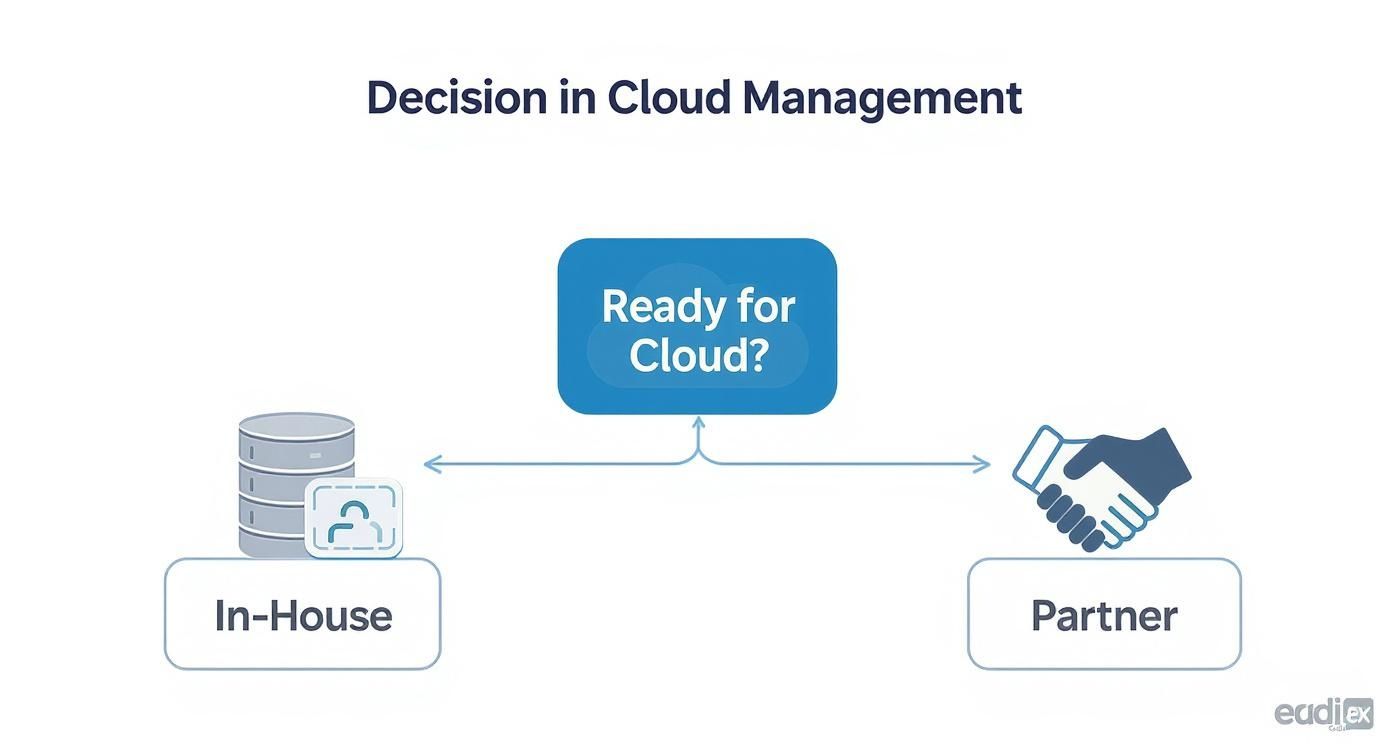
As the flowchart shows, the best path forward really boils down to your team's existing technical skills and your grasp of compliance requirements.
Is the Cloud Really More Secure Than On-Premises Servers?
It definitely can be, but that security isn't guaranteed right out of the box. Major cloud providers invest in physical security and sophisticated tools that are way beyond what most SMBs could afford on their own. But here's the catch: you are still on the hook for securing your own data and applications inside that cloud environment.
A simple misconfiguration in the cloud can be just as devastating as a physical server breach, which drives home the point that security is always a shared effort.
How Can I Avoid Vendor Lock-In with a Cloud Provider?
The best way to steer clear of vendor lock-in is to build your systems on technologies that can move with you. Prioritize open-source tools like PostgreSQL for databases and container platforms like Kubernetes, since they work across different cloud environments.
Thinking about a multi-cloud or hybrid-cloud setup from the beginning also keeps your options open. The main goal is to not become too dependent on a single provider’s proprietary services for anything absolutely critical to your business.
Getting the cloud right takes a clear plan and, often, some expert guidance. Defend IT Services brings the managed IT and cybersecurity experience needed to help you get the most out of the cloud while keeping the risks in check.
To secure your operations and start moving forward, learn more at the official Defend IT Services website.